
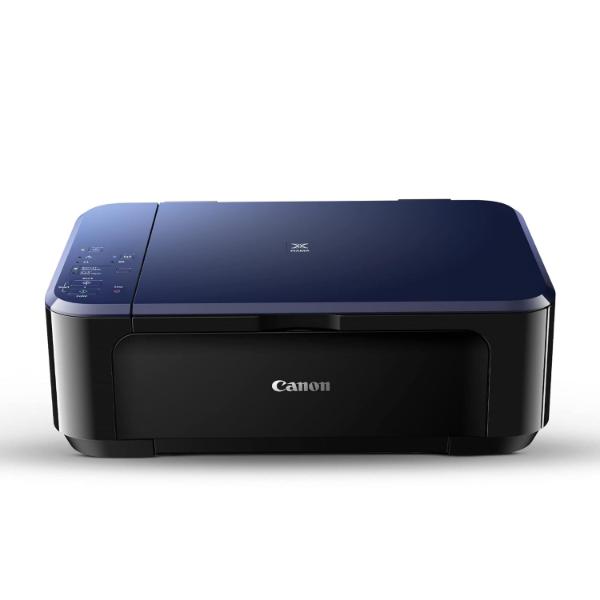
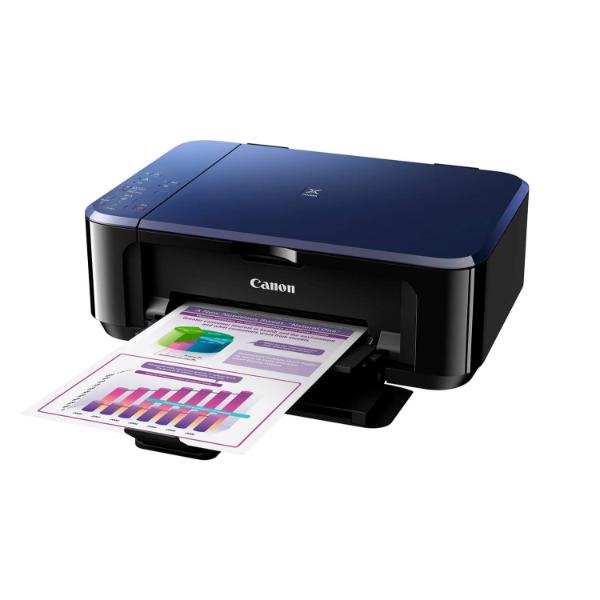
Canon PIXMA E560 All in One (Print, Scan, Copy) WiFi Ink Efficient Colour Printer

Original price was: ₹8,995.00.Current price is: ₹7,699.00. (Inclusive of GST)

SKU: PIXMA-E560 Category: Tags: , , , , , ,

Fast Shipping

100% Genuine Product

Whatsapp Support

Brand Warranty

Description

Canon PIXMA E560 All in One (Print, Scan, Copy) WiFi Ink Efficient Colour Printer with Auto Duplex Printing for Home

SPN-FOR1

PIXMA E560

Advanced Wireless All-In-One with Auto Duplex Printing for Low-Cost Printing

The Ink Efficient E560 is designed to give you an affordable wireless printing experience at low running cost of 800 pages.

  • Print, Scan, Copy
  • ISO Standard print speed (A4): 9.9 images per minute mono / 5.7 images per minute colour
  • Hi-speed USB 2.0, WiFi
  • Recommended print volume: 80 – 400 pages

Features
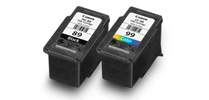
Lower Printing Costs

Enjoy lower cost of operation by printing 800 pages* of A4 documents with the PG-89 ink cartridge! The CL-99 ink cartridge prints 300 pages*.

* In accordance with ISO / IEC 24712
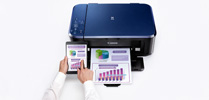
pixma-printing-solution-apps
PIXMA Printing Solutions App

Using a smartphone or tablet device, users can print documents and images stored on their devices, or scan a document directly into their devices. Available for iOS and Android OS devices.
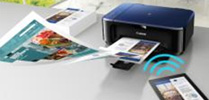
Wireless Connectivity

The PIXMA E560 is the first Canon PIXMA Ink Efficient printer to feature wireless LAN connectivity. Print, scan, and perform printer operations with ease, without the need to be tethered to a PC via USB.
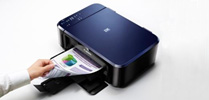
Auto 2-Sided Printing

Save time and resources by printing 2-sided documents.

Auto Power ON

Auto Power ON detects a print command and will automatically switch the printer on.

SPN-FOR1


SPN-FOR1
Disclaimers
You need to install ink tanks or ink cartridges of all colours whether you perform black and white printing or colour printing. If any one of the ink tanks or ink cartridges is not installed, an error occurs and you cannot perform printing.
Depending on the paper or the print settings, colour ink may be consumed even when you print a document in black or perform printing in black and white. When any one of the colours of ink has run out, you need to replace the ink tank or ink cartridge.
When you use the Canon printer for the first time after you install the bundled ink tanks, the printer consumes a small amount of ink in the amount to enable printing by filling the nozzles of the Print Head with ink. For this reason, the number of sheets that can be printed with the first ink tanks is fewer than the succeeding ink tanks.
The printing costs described in the brochures or websites are based on the consumption data from not the first ink tank / ink cartridge but the succeeding ink tank / ink cartridge.
To keep printer’s performance, Canon printer performs cleaning automatically according to its condition. When the printer performs cleaning, a small amount of ink is consumed. In this case, all colours of ink may be consumed.
[Cleaning function]
The cleaning function helps the printer to suck air bubbles or ink itself from the nozzle and thus prevents print quality degradation or nozzle clogging.
The repairing parts for printers will be available five years after production is discontinued. Depending on your model, we may ask you to replace it with a new one, or one with almost the same performance as a maintenance service. In this case, it may be that you cannot use supplies or accessories for your model or the compatible OS will be changed.
The warranty term for free repair varies from country to country and starts from the date of purchase. Free repair does not apply to supplies (paper or ink tanks / cartridges / print head) even within the warranty term.
To obtain good printing quality, use up ink within six months after opening.
Regarding a solution to a problem caused by using non-genuine ink cartridges (including ones supplemented with non-genuine ink by making a hole in the cartridge or so), a fee will be charged even within the warranty term. Keep this in your mind when you use non-genuine ink.
If you use non-genuine ink cartridges (including ones supplemented with non-genuine ink by making a hole in the cartridge or so), they may have a negative effect on the performance of the printer or the printing quality may be reduced. In addition, though it is a rare case and does not present a safety hazard, it is reported that a print head will become heated or smoke will be emitted from it due to an ingredient not contained in genuine Canon ink. (Note that this does not apply to all non-genuine ink.)
CREATIVE PARK PREMIUM is a premium content service available exclusively to users only when all of the colours of genuine Canon inks are installed.
A printer with a fax function stores the following fax data in printer’s memory:
– Faxes not printed out due to conditions such as ink running out.
– Faxes in the send queue.
If you disconnect the power cord, the date and time settings are reset and faxes stored in the printer’s memory will be deleted. Before you disconnect the power cord, confirm that faxes you need to keep have already been printed or sent.
If you will be installing the Canon printer driver on Mac OS X and using the printer through a network connection, you can select [Bonjour] or [canonijnetwork] in the [Add Printer] dialog. If [Bonjour] is selected, remaining ink level messages may differ from those indicated by [canonijnetwork]. [canonijnetwork] is not displayed if the Canon printer driver is not installed. Access our web site through the Internet and download the latest printer driver for your model. Canon recommends you to use [canonijnetwork] for printing.
Additional information
Weight4 kg
BrandsCanon
Product TypeNormal
Warranty1 Year
Reviews (0)

Reviews

There are no reviews yet

Add a review
Currently, we are not accepting new reviews